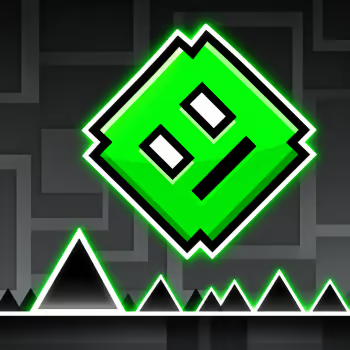
Geometry Dash is a rhythm-based platform game where one perfectly timed jump can make the difference between success and starting over. Developed by RobTop Games, this colorful obstacle challenge combines fast movement, electronic music, and precise controls.
Your character travels through dangerous courses filled with spikes, gaps, moving hazards, and portals. Every level introduces new patterns that require you to react at the right moment.
The controls are simple, but mastering them takes practice. As you progress, you must adapt to different movement forms, changing speeds, and obstacles that leave very little room for mistakes.
One Mistake Sends You Back to the Beginning
The main objective in Geometry Dash is to reach the end of a level without crashing.
In classic auto-scrolling stages, your character moves forward automatically. You control when it jumps, flies, or changes direction according to its current form.
Spikes, walls, and other hazards can end your attempt immediately.
In Normal Mode, crashing usually means restarting the level from the beginning.
This makes learning the course an essential part of the experience.
You may fail several times at the same obstacle before discovering the correct timing. Once you understand that section, you can move on to the next challenge.
Each attempt helps you become more familiar with the level's rhythm and layout.
Controls
Desktop
-
Spacebar / Up Arrow / Left Mouse Button: Jump or activate your current movement form
-
Hold the Button: Maintain flight or perform continuous actions in supported forms
-
Release: Stop the current action or change movement direction, depending on the form
-
Esc: Pause the game
Practice Mode
Mobile
The exact effect of pressing or holding changes as your character transforms.
Every Form Has Its Own Rules
One of the defining features of Geometry Dash is its variety of movement forms.
Cube: Jump over spikes and gaps. Learn when to press and when to let the character land.
Ship: Hold to fly upward and release to descend. Small adjustments are important when navigating narrow passages.
Ball: Switch gravity to move between the floor and ceiling.
UFO: Tap repeatedly to make short upward movements while gravity pulls the character downward between inputs.
Wave: Hold to travel diagonally upward and release to move diagonally downward, creating a zigzag path.
Robot: Control jump height by adjusting how long you hold the button.
Spider: Instantly switch between opposite surfaces using gravity changes.
Swing: Alternate gravity to control a flying character through challenging spaces.
Not every level includes every form. The challenge depends on the combinations selected by the level creator.
Learning how each form responds to your input makes sudden transformations easier to handle.
Portals Can Change Everything in a Second
Portals are responsible for many of the surprises in Geometry Dash.
Some transform your character from a cube into a ship, ball, or another movement form.
Others change gravity, speed, size, or the direction of movement.
These effects can dramatically alter how you approach the next obstacle.
For example, a jump that works in cube form will not help you navigate a narrow flying corridor after entering a ship portal.
The key is recognizing the transition before it happens.
Watch the portal ahead and prepare to change your input immediately after passing through it.
A common mistake is continuing to use the previous form's controls for too long.
The faster you adapt, the more consistently you can survive difficult transitions.
Jump Pads and Orbs Require Different Timing
Geometry Dash includes special objects that affect your movement.
Jump pads activate automatically when your character touches them.
Orbs usually require you to press the action button while your character is within their activation range.
This distinction is important.
If you press too early, you may miss the orb completely.
If you wait too long, your character may collide with a nearby obstacle.
Different orb types can produce different effects, including additional jumps, gravity changes, or directional movement.
Rather than pressing repeatedly, try to understand what each object does.
Once you recognize the visual patterns, these mechanics become useful tools for navigating more complicated sections.
The Music Helps You Predict the Course
Electronic music is a central part of the Geometry Dash experience.
Many levels are designed so that jumps, obstacles, and visual effects correspond to the soundtrack.
This can make the movement feel like part of the music.
However, listening to the beat is not a substitute for watching the screen.
Some obstacles require unusual timing, while speed changes can make familiar rhythms feel different.
Try using the music as a reference while keeping your attention on the character's position.
After several attempts, you may begin recognizing specific musical moments that signal upcoming jumps or transformations.
Combining visual memory with rhythmic timing is one of the most effective ways to improve.
Practice Mode Turns Failure into Progress
Some Geometry Dash levels are difficult to complete in a single attempt.
Practice Mode allows you to learn challenging sections without restarting the entire course after every crash.
Checkpoints let you return to a recent position and repeat difficult obstacles.
This is particularly useful for learning portal transitions, narrow wave sections, and complicated sequences involving jump orbs.
A productive practice session should focus on specific problems.
If you repeatedly fail at one obstacle, experiment with a slightly earlier or later input.
Once you find a successful approach, repeat it until the movement becomes consistent.
Then continue to the next difficult section.
When you return to Normal Mode, your goal is to connect everything you have learned into one complete run.
Why Your Timing Keeps Going Wrong
Many players assume that faster reactions are the solution to every difficult obstacle.
In Geometry Dash, the real problem is often inconsistent timing.
You may jump too early because you are anticipating a spike, or hold the button too long after entering a new movement form.
To improve, identify the exact moment when your attempt fails.
Jumping too early: Wait until your character reaches a more reliable position before pressing.
Jumping too late: Use a visible landmark to recognize when the obstacle is approaching.
Holding too long: Practice shorter inputs during ship, wave, or robot sections.
Missing an orb: Focus on pressing while your character is within the activation range.
Failing after a portal: Prepare for the new movement rules before entering the transition.
Small, consistent corrections are usually more useful than making completely different movements on every attempt.
Official Levels and Community Creations
Geometry Dash includes developer-created levels that introduce different mechanics and gradually increase in difficulty.
These stages provide a useful foundation for learning the controls and understanding how the game works.
The broader Geometry Dash experience also includes community-created levels.
Players can design their own courses using the level editor, combining obstacles, music, decorations, and movement mechanics in different ways.
Some community levels focus on accessible rhythm challenges, while others demand extremely precise timing.
This variety gives players opportunities to explore new layouts after mastering familiar stages.
It also makes Geometry Dash more than a single obstacle course.
The game becomes a collection of creative challenges built around the same core movement system.
More Geometry Dash Challenges to Explore
If you enjoy the original Geometry Dash experience, Geometry Dash Press Start offers a colorful rhythm challenge featuring changing movement forms and memorable obstacle sequences.
Geometry Dash SubZero introduces additional music-driven stages with fast transitions and striking visual effects.
Try Geometry Dash Meltdown for another collection of challenging levels built around precise jumps and rhythmic movement.
Geometry Dash Breeze 3D offers a different perspective on obstacle navigation.
For a community-created challenge, Geometry Dash Hairless Adventure tests your consistency across a longer course with demanding transitions.
Play Geometry Dash online and discover how far you can progress by mastering every jump, portal, and movement form.