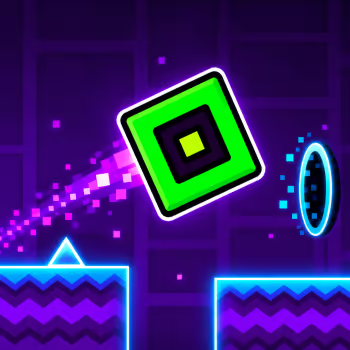
Geometry Dash Switch is a challenging rhythm platform game where the direction of gravity can change just when you think you have everything under control. Guide a geometric icon through a colorful obstacle course filled with sharp spikes, floating platforms, dangerous corridors, and sudden transitions.
Your character moves forward automatically, leaving you responsible for timing every jump and adapting to the next obstacle. Gravity changes can send your character from the floor to the ceiling, while transformation portals introduce new ways to move.
With its fast-paced gameplay and Hard difficulty, Geometry Dash Switch tests more than your reflexes. It challenges your ability to recognize patterns, anticipate transitions, and stay focused throughout an entire run.
When the Ceiling Becomes Your Floor
One of the most distinctive challenges in Geometry Dash Switch is the way gravity changes your movement.
During ordinary cube sections, your character travels along the ground and jumps over obstacles.
After entering a gravity-changing portal, your character may begin moving along the ceiling instead.
This reverses the direction of your jumps and changes how you approach nearby hazards.
Spikes that previously appeared above your character can suddenly become the obstacles directly in your path.
The important skill is recognizing where your character will land after each gravity transition.
Instead of thinking only about jumping upward, focus on the surface your character is currently traveling along.
Controls
Desktop
-
Left Mouse Button: Jump or activate the current movement action
-
Spacebar / Up Arrow: Alternative action controls
-
Hold: Maintain upward movement in Ship sections or continue jumping where appropriate
-
Release: Allow the Ship to descend or stop the current action
Mobile
-
Tap the Screen: Jump or activate movement
-
Touch and Hold: Maintain the action when necessary
-
Release: Change the movement response according to the current form
Your character moves forward automatically, so you do not need to control horizontal movement.
The same button behaves differently depending on your character's form and gravity direction.
The Opening Section Teaches Gravity Control
The beginning of Geometry Dash Switch introduces familiar cube movement before adding gravity changes.
At first, you need to jump over spikes and avoid simple obstacles.
As the course develops, portals can reverse gravity and place your character on the ceiling.
This creates a new challenge because the safe path may appear on the opposite side of the screen.
A jump that worked on the ground may require a different approach while inverted.
Watch the first obstacle after each portal carefully.
If you continue using the same timing without considering your new position, you may collide with a hazard immediately after the transition.
Use the opening section to become comfortable with switching between floor and ceiling movement.
Jump Orbs Can Change Your Route
Some sections include floating orbs that interact with your character when activated at the correct moment.
Unlike ordinary platforms, these objects require you to time an input while passing through their activation area.
Pressing too early may cause your character to miss the orb.
Pressing too late may leave insufficient time to avoid the next obstacle.
Gravity changes can make these interactions more difficult because your character may approach an orb from an unusual direction.
Before reaching one, look at the available space around it.
Try to understand where your character will travel after activating the orb.
The goal is not simply to touch every object you see. It is to choose the movement that leads toward a safe path.
Floating Platforms Require Careful Landings
As the level continues, you may encounter platforms separated by dangerous gaps.
These sections require more than a well-timed jump.
You also need to consider where your character will land.
For example, clearing one spike group may leave you approaching a small platform with another obstacle nearby.
Jumping too early can make you land before reaching the safe surface.
Jumping too late may cause a collision before you leave the ground.
Look beyond the nearest platform and identify the next safe landing area.
This helps you plan a sequence of movements instead of treating every obstacle as an isolated challenge.
Ship Mode Changes the Rules Again
Geometry Dash Switch also introduces flying sections where your character transforms into a Ship.
Instead of jumping from one surface to another, you control the Ship's vertical position.
Hold the action button to rise and release it to descend.
This creates a different type of challenge from the cube sections.
You must continuously adjust your height while avoiding obstacles above and below.
Narrow corridors can be especially difficult because large movements leave little room for correction.
Try using short presses to maintain a stable path.
When approaching a dangerous passage, position the Ship near the center of the available space whenever possible.
Smooth control is usually more effective than repeatedly moving between the ceiling and floor.
Prepare for Every Portal Before Entering It
A common reason for failure in Geometry Dash Switch is reacting too late to a portal.
Portals can change gravity, movement form, or the way your character travels through the course.
These changes may happen immediately before a difficult obstacle.
If you wait until after the transition to decide what to do, you may not have enough time to react.
Instead, look ahead and identify the portal before reaching it.
Ask yourself what will happen next.
Will your character begin moving along the ceiling?
Will you need to control a Ship instead of jumping?
Will the next obstacle require a quick input?
Preparing for the transition makes the following section more predictable.
Surviving the Faster Final Section
The later part of Geometry Dash Switch becomes more demanding as the obstacle patterns accelerate.
You may need to respond to gravity changes and nearby hazards with very little time between them.
This is where memorizing the course becomes especially valuable.
Rather than waiting for every obstacle to appear directly in front of your character, try to recognize familiar sequences.
If you know a gravity transition is followed by a spike group, prepare the next movement before reaching the portal.
Avoid unnecessary button presses during fast sections.
One extra jump or poorly timed hold can interrupt an otherwise successful attempt.
Your objective is to maintain controlled movement even when the level feels increasingly intense.
How to Improve After Repeated Failures
Geometry Dash Switch is designed around learning through repeated attempts.
Crashing does not necessarily mean your reactions are too slow.
Often, the problem is that you have not yet recognized the correct movement pattern.
When you fail, identify the exact moment where the attempt went wrong.
If you hit a spike after a gravity change: Pay attention to your position immediately after the portal.
If you miss an orb: Adjust the timing of your input rather than pressing repeatedly.
If you crash in Ship mode: Use shorter holds and avoid large vertical corrections.
If you fail on a small platform: Focus on the landing position instead of only the jump.
If you struggle near the end: Learn the earlier sections well enough that you can reach the difficult part consistently.
Making small adjustments helps you understand the course more effectively than changing your entire strategy after every crash.
Normal Mode and Practice Mode
Geometry Dash Switch includes Normal Mode and Practice Mode in versions that support both options.
In Normal Mode, a collision ends your attempt and sends you back to the beginning.
This is the mode where you aim to complete the entire course in one uninterrupted run.
Practice Mode is useful for learning difficult obstacle sequences.
Checkpoints allow you to repeat challenging sections without replaying everything that came before them.
Use this mode to become familiar with gravity transitions, Ship corridors, and fast obstacle combinations.
Once you can complete individual sections consistently, return to Normal Mode.
Your goal is to connect the movements you have practiced into a complete run.
What Makes Switch Different From Other Geometry Dash Games?
Geometry Dash Switch emphasizes changing movement conditions.
The main challenge is not simply jumping over a series of spikes.
You must repeatedly adapt to gravity changes, platform arrangements, and different character forms.
This creates a rhythm where a familiar movement can suddenly require a different response.
Compared with Geometry Dash Wave, which focuses on precise diagonal movement, Switch places greater emphasis on transitions between different movement conditions.
Geometry Dash Onward also combines multiple mechanics, but Switch makes changes in gravity a particularly important part of its challenge.
Players who enjoy adapting quickly to unexpected obstacles may find this level especially rewarding.
Frequently Asked Questions
What is Geometry Dash Switch?
Geometry Dash Switch is a rhythm-based obstacle game inspired by Geometry Dash, featuring automatic movement, precise jumps, and gravity-changing sections.
How difficult is Geometry Dash Switch?
The referenced browser version is classified as Hard. Its challenge comes from changing obstacle patterns and movement mechanics.
Can you switch gravity in Geometry Dash Switch?
Yes. Gravity-changing portals can reverse your character's movement between the floor and ceiling.
Does Geometry Dash Switch include Ship sections?
Yes. Some sections transform your character into a Ship, requiring you to control its height while avoiding obstacles.
How do you complete Geometry Dash Switch?
Reach the end of the level without colliding with any hazards. Learn difficult transitions and use consistent timing to improve your chances.
More Geometry Dash Games to Explore
If you enjoy Geometry Dash Switch, Geometry Dash Onward offers another challenging course featuring different movement forms and speed transitions.
Geometry Dash Wave focuses on precise zigzag movement through narrow spaces.
Try Geometry Dash Press Start for a colorful rhythm challenge with several character transformations.
Geometry Dash Hairless Adventure tests your ability to maintain consistent timing throughout a demanding obstacle course.
For a more accessible starting point, Geometry Dash Lite introduces familiar movement mechanics and progressively challenging levels.
Play Geometry Dash Switch online and discover whether you can master every gravity change, survive the flying sections, and reach the finish without crashing.